![Kokomo_1.png]](https://help.kokomo247.com/hs-fs/hubfs/KokomoSolutions_August2020/Images/Kokomo_1.png?height=40&name=Kokomo_1.png)
Step 1: Open login URL
- Go to: https://safetycloud.kokomo247.com/login
- You will see the login screen as shown below:
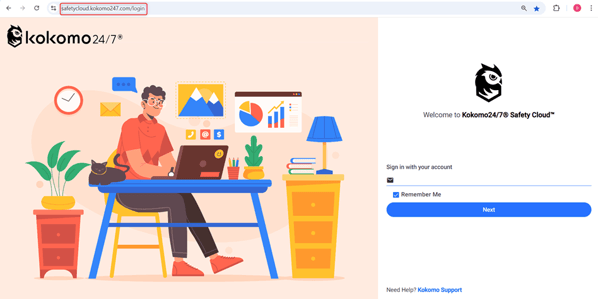
Login Page
Step 2: Enter Your Email Address
- In the Email field, type your registered account email.
- Example: “lausd-guest@kokomo247.com”
- Check Remember Me if you want the system to save your email for next time.
- Leave it unchecked if you are using a public or shared device.
- You will see the login screen as shown below:
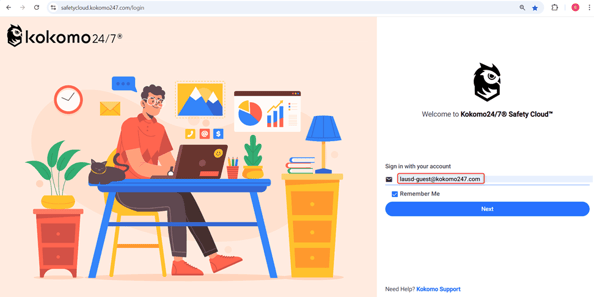
Enter User Email
Step 3: Click Next
- After entering your email, click the Next button.
- You will be taken to the password screen.
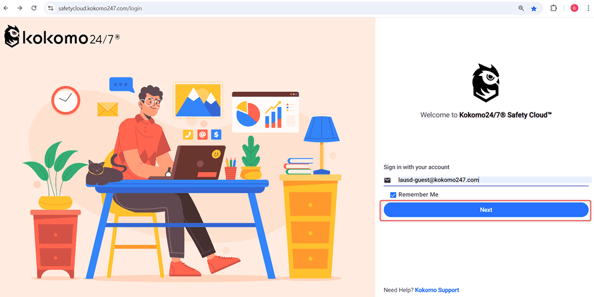
Click On Next Button
Step 4: Enter Your Password
- On the password screen, type your SEA account password.
- Click Sign In to proceed.